
How To Manage Conference Volunteers Like a Pro (Without Creating More Chaos)
How To Manage Conference Volunteers Like a Pro (Without Creating More Chaos)
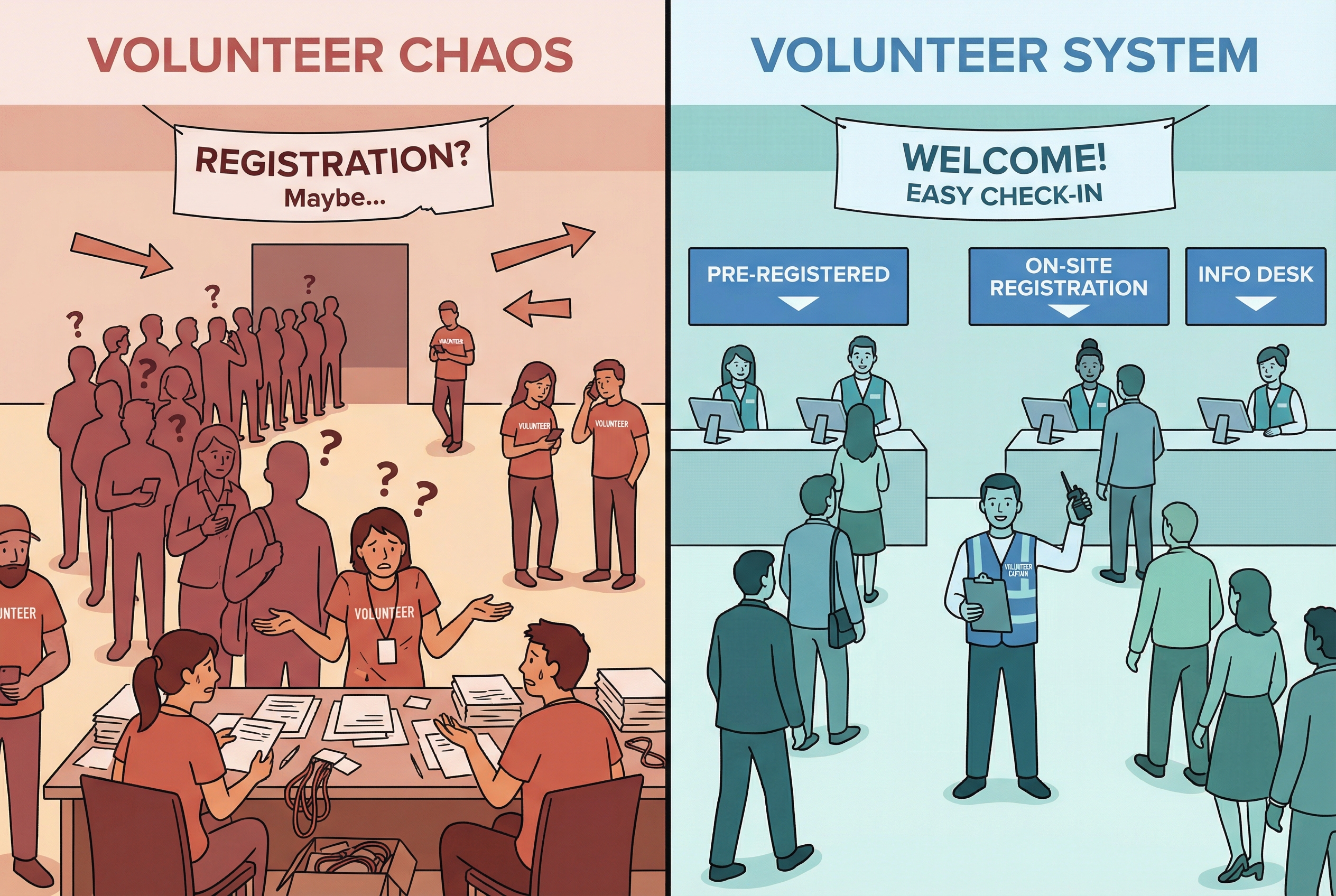
At most events, volunteers are either invisible or in the way.
You’ve seen it: branded T‑shirts standing around with no idea where to go, registration lines out the door, room changes nobody told them about. The team is “bigger,” but everything feels harder.
The issue isn’t the people. It’s the system.
Conference volunteers are one of your highest‑leverage tools. Managed well, they multiply what your small staff can do and dramatically improve the attendee experience. Managed poorly, they create more work than they save.
Here’s how to run volunteers like a real operating system instead of “extra hands.”
1. Decide What Volunteers Should (And Should Not) Do
Start by getting clear on the job.
Volunteers shine in roles that are clear, repeatable, and visible: check‑in, room hosting, wayfinding, basic speaker support, CEU or badge scanning, info desk, helping with receptions or poster sessions. These tasks matter, but the risk comes from confusion, not technical skill.

They are a bad fit for jobs where a mistake is catastrophic or expensive: handling cash, making safety or security decisions, running complex AV, or owning anything your insurance carrier would care about. Those stay with staff or paid vendors.
Write this down. It becomes your guardrail when you’re tempted, on site, to throw volunteers at any fire.
2. Appoint a Real “Volunteer Captain”
If everyone owns volunteers, nobody does.
Pick one person to be your Volunteer Captain. Their job is to own the whole volunteer machine: how many people you need, which roles exist, how shifts work, how training happens, and what you do when someone no‑shows.

Think of this like a head coach. You give them the game (your schedule, room list, and promises to volunteers). They put the right people in the right roles at the right times. If you skip this and just “let the team figure it out,” you will feel it at registration and in every breakout.
3. Design Roles and Shifts Before You Recruit
Most conferences start with, “We need 30 volunteers.” That’s backwards.
Walk the event from an attendee’s point of view and ask, “Where do we need a human to make this smooth?” Arrival and wayfinding, registration, main doors, breakouts, CEU scanning, expo help, receptions.

For each station, sketch a short description: where it is, what success looks like, when it starts and ends, and who that volunteer reports to. Once you see the map, you can calculate how many volunteers you actually need at peak times and how long shifts should be.
Only then do you recruit. Now your signup form can say, “We need room hosts, check‑in support, and wayfinding,” instead of, “We need help with…stuff.”
4. Train Once, Then Remind Often
“Bad volunteers” are usually untrained volunteers.
You want at least one orientation before they arrive. That can be a short live call, a recorded video, or a simple training inside your event platform. Cover the purpose of the event, the vibe you’re aiming for, and the types of roles. Give them a simple story: “Your job is to make sure attendees feel welcome, know where to go, and can focus on content, not logistics.”
Back it up with one‑page instructions per role. Where to check in, what to do before a session, what to do during, what to do at the end, and what to do if something goes wrong. Screenshots beat paragraphs if they’re touching registration or scanning tools.
On site, start each day with a 10‑minute huddle. Remind people of the schedule, highlight changes, answer questions, and send them out as a team, not random individuals.
5. Run Game Day Like a Shift‑Based Operation
During the conference, your job is not to micromanage every volunteer. It’s to make the system easy to run.
Have a clear volunteer check‑in point. As people arrive, they sign in, get their badge or shirt, confirm their shift, and meet the lead they report to. If someone doesn’t show, your Volunteer Captain knows early and can reshuffle before a room is empty.
Use one communication channel for volunteers and leads: radios, a group chat, or messaging inside your app. The rule is simple: volunteers should always know who to contact when something breaks or they’re unsure.

Protect them from burnout. Design reasonable shifts with real breaks. Build a small pool of “floaters” who can plug into roles when someone needs to step away or a room suddenly spikes in attendance.
When issues happen, fix the system, not just the person. If three room hosts all fumble Q&A, that’s a training or instruction problem, not three “bad” volunteers.
6. Close the Loop and Keep the Good Ones
Volunteers are giving you their time and reputational support. Treat them like partners.
Thank them from the stage. Send a post‑event email that acknowledges their specific contribution. Ask for their feedback: what made it easy, what made it hard, and what would they change next year. Have your Volunteer Captain note who crushed it.
Then invite the best ones back early and give them more leadership. Over a couple of years, you won’t just have “volunteers.” You’ll have a layered team that makes your conference feel shockingly polished for the size of your staff.
When you manage conference volunteers like this, they stop being a last‑minute scramble and start being one of the main reasons your event feels organized, warm, and professional.
